Install the free Video DownloadHelper extension and download videos from 1,000+ sites: get it safely from the official Chrome, Firefox & Edge stores, save online videos and live streams, fix .mpd / DASH, and find your saved files.
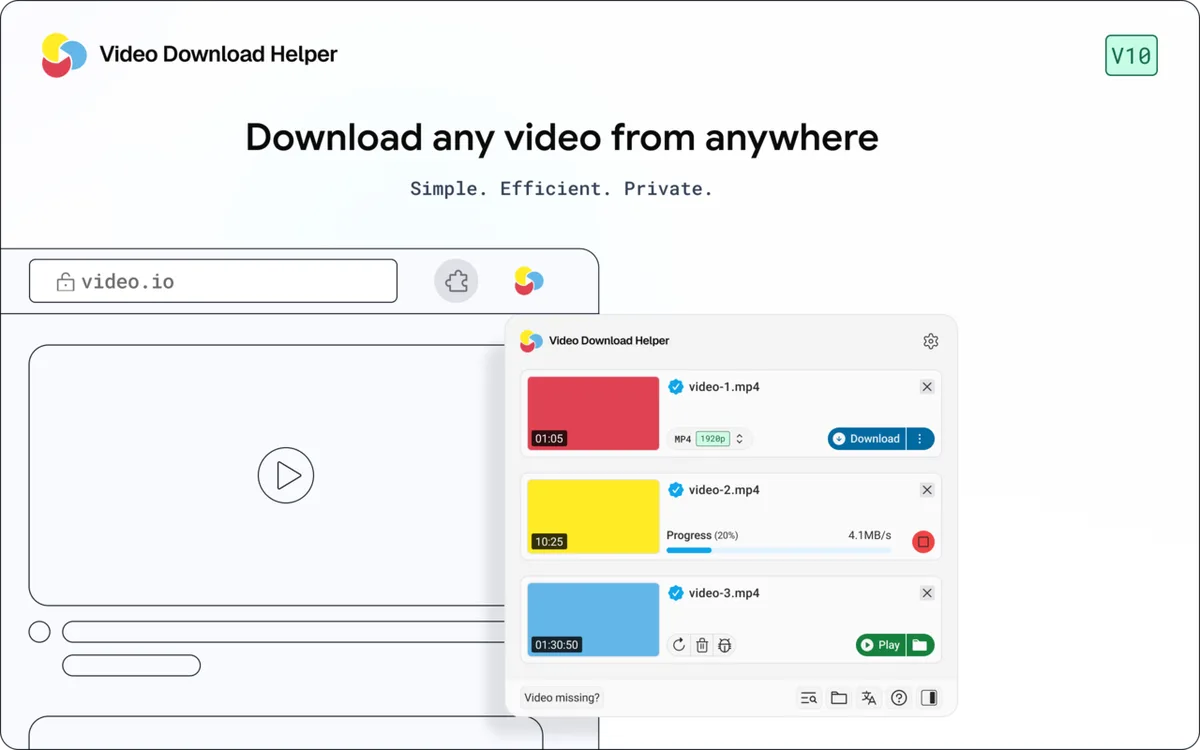
Video Download Helper is a browser extension that watches the video streams a page is playing and offers them to you as downloadable files — the same core idea on Chrome, Firefox and Edge. It handles ordinary progressive videos, HLS (.m3u8) playlists and, with its companion app, DASH (.mpd) streams. This page explains what it really does, where its hard limits are, and how to use it without falling for the fake “download” sites that impersonate it.
From install to troubleshooting — each section answers one frequently asked question with steps you can follow.
Official store links for Chrome, Firefox and Edge, plus how to tell a real listing from a copycat.
video downloadhelper softwareTRUSTWhat permissions it asks for, why it needs them, and what its 20-year track record looks like.
is video downloadhelper safeHOW-TOFrom spotting the download icon to picking the right resolution, in the order you'll actually do it.
how to use video downloadhelperTROUBLESHOOTDefault save folders by browser and OS, and how to change where files land.
where does it save filesTECHNICALWhy some streams show up as .mpd instead of a video file, and a free tool to inspect one.
video downloadhelper mpdLIMITSYouTube, DRM-protected streams, and other sites where downloads are intentionally blocked.
does it work on youtubeWorks on most sites that stream video to your browser. From plain page videos to live streams, these types all download cleanly:
Not sure where your files landed? Choose your browser and system and we’ll show the default location Video DownloadHelper saves to, plus how to change it.
C:\Users\<you>\DownloadsUnless you changed it in chrome://settings/downloads.
Full walkthrough with settings for each browser: where Video DownloadHelper saves files.
Every tool runs locally in your browser — nothing you paste is ever uploaded.
Paste an .mpd manifest and see the resolutions, audio tracks, duration and DRM status it contains.
video downloadhelper mpdTOOLInspect a playlist's quality levels, audio tracks, segment count and encryption.
m3u8 / hls playlistTOOLPick your browser and OS, get the exact default save path — no guessing.
where does it save filesTOOLAnswer a few questions about your problem, get the most likely cause and fix.
video downloadhelper not workingCommon questions about Video DownloadHelper, with straight answers.
This site has no affiliation with the developer and sells nothing — every answer is written for you:
An independently written help resource covering real questions people search about the Video DownloadHelper browser extension.
We don't develop, distribute, or repackage the extension. We link to official store listings only — we never host installers ourselves.
Guides are checked against the extension's own documentation and updated when the developer ships changes that affect these answers.
Other free utilities we cover with the same independent, no-nonsense approach.

 Add to Chrome
 Add to Firefox
 Add to Edge